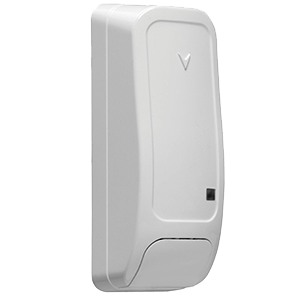
DSC PG9945
The PowerG wireless door/window sensor with auxiliary input is installed on common intrusions points such as windows and doors to provide perimeter protection of the premise. Known for its versatility and reliability, this sensor is an easy to install device ideal for a wide range of environments. It features an auxiliary input that can be used to easily connect a standard hardwired sensor.
What can we help you with?
5 Articles
Find step-by-step instructions to install, program, and mount your DSC PG9945 door/window sensor with this comprehensive Brinks Home Help Center guide.
Learn how to program and connect your PG9945 door/window sensor to the IQ Panel 2. Follow our step-by-step guide to secure your Brinks Home system.
Learn how to troubleshoot and resolve a malfunction on your DSC PG9945 door/window sensor. Find step-by-step support guides at the Brinks Home Help Center.
Learn how to fix a tamper error on your Brinks Home PG9945 door/window sensor. Follow easy steps to secure the sensor cover and clear the alert.
Find step-by-step instructions to replace the batteries in your DSC PG9945 door/window sensor. Keep your Brinks Home security system running smoothly.